What is Computational Thinking?
Computational thinking is a 21st century skill necessary for problem solving. It involves decomposing the problem, recognising patterns, designing algorithms, generalisation and abstraction. Computational thinking is an important skill to develops as it aides the development of both creativity as well as logical thinking (Liu et al., 2011; Sengupta et al., 2013) . According to Jun et al. (2017), computational thinking allows students to express their ideas, develop programs, and creatively solve problems. Computational Thinking allows students to improve technology literacy, an important skill in modern times (Davies, 2011; Reyna et al, 2017).
How Computational Thinking can Foster Creativity
Computational skill are a necessary skill for everyday life in the 21st century. Computational thinking allows individuals to develop their critical thinking skill and problem solving ability. Problem solving and critical thinking are skills that both require creativity (Jun et al, 2017). Computational problems require creative thinking and creative solutions. An aspect of computational thinking that allows it to foster creativity is that different methodologies and solutions can be used to solve the same problem. What solution and methodologies that are used is dependent on the users individual thought process.
What is Cody Rocky?
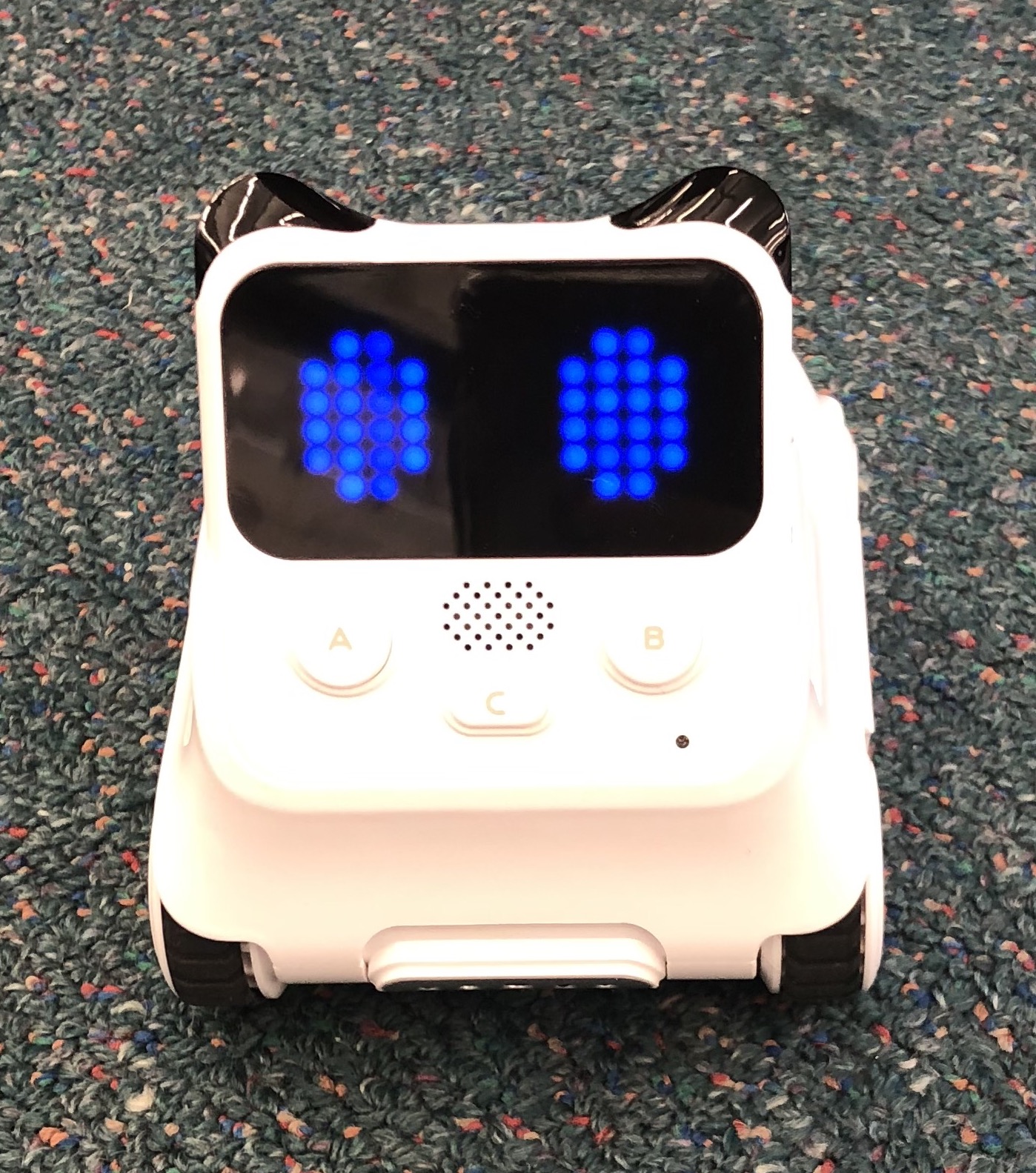
Cody Rocky is a small robot that is programmable through an app that you can access on an iPad. It allows students to change what is displayed on the screen (see the image below) how and where Cody Rocky moves and what sound(s) it makes.
The Cody Rocky is very user friendly as it has a website (makeblock) that contains easy to use step-by-step instructions as well as youtube videos on how to use both the robot and its corresponding app.
Click the following link to access the manual: Cody Rocky Manual
How Cody Rocky can Foster Creativity?
Cody Rocky allows the user to record their voice or other sounds to be played upon command through the programming app. Cody Rocky offers a great opportunity for students to learn about coding as they are able to see the output of their coding through the physical movement and/or production of sound(s) from the Cody Rocky robot.
The video below show a youtube video demonstration of how to use Cody Rocky and its programming app.
The video below shows Cody Rocky in use (by me). The Cody Rocky was given instructions through the app to carry out (as demonstrated in he video).
Other Examples
- Dash and Dot: Dash and dot are robots that are very similar to Cody Rocky. They are controlled through an app and are both able to produce sounds and light displays. Dash can move but dot is stationary.
- Code.org: is a website that allows users to learn coding through the online platform.
Limitations
- If paired with content, students may experience cognitive overload due to having to learn two things at once (how to code and the content being taught). For example, using Cody Rocky in Mathematics to trace out a square to learn about right angles – students have to learn both how to use Cody Rocky’s coding app to move Cody Rocky as well as the content about squares and right angles.
- Students will (most likely) only have access to the technology during class – takes up class time
- The equipment is costly, so only a few students at a time may get to have access to the equipment.
- Teachers will need to become familiar with the technology before using it in a classroom setting – this will take up out of class time
References
Davies, R. (2011). Understanding Technology Literacy: A Framework for Evaluating Educational Technology Integration. TechTrends, 55(5), pp.45-52.
Jun, S.J., Han, S.K., Kim, S.H. (2017). Effect of design-based learning on improving computational thinking, Behaviour & Information Technology. 36:1, 43-53
Liu, C. C., Y. B. Cheng, and C. W. Huang. 2011. “The Effect of Simulation Games on the Learning of Computational Problem Solving.” Computers & Education 57: 1907–1918.
Reyna, J., Meier, P., Mimirinis, M. and Franetovic, M. (2018). Using the Learner-Generated Digital Media (LGDM) Framework in Tertiary Science Education: A Pilot Study. Education Sciences, 8(3), p.106.
Sengupta, P., J. S. Kinnebrew, S. Basu, G. Biswas, and D. Clark. 2013. “Integrating Computational Thinking with K-12 Science Education Using Agent-Based Computation: A Theoretical Framework.” Education and Information Technologies 18 (2): 351–380.

 Sara's Blog