
What is Robotics?
Robotics is a branch of engineering and science that includes designing, constructing, and operating robots. Robotics includes aspect of computational thinking through the coding aspect of robotics. Fostering student interest in areas such as programming and robotics can inspire students continue study in STEM subject and to pursue careers in areas such as Science, Engineering and Computing (Klopfer, 2008; Squire and Klopfer, 2008).
How Robotics Fosters Creativity
Robotics can require students to design their own robot as well as devise their own coding to control its movements and sounds it produces. This requires students to think creatively and utilise their problem solving skills. This is especially true if students are required to design a robot to compete a specific task; students will have to think about how they can design the robots appearance to suit the task as well as to work in conjunction with the coding aspect of its design. This also allows students to gain hands on experience and to learn by doing (Kivinen and Ristelä, 2002).
Dash and Dot
Dash and Dot are educational robots that are controlled through an app that can be accessed using a device such as a phone or tablet.The Dash and Dot apps control their ability to produce of sounds and displays of light. Dash can move but dot is stationary. Dash and dot have multiple app which target a range of different range of coding ability. The lower ability apps target younger years (K -2) and have buttons that control Dash and Dots lights and sounds, and a virtual joy stick to control Dash’s movement (see the image below).
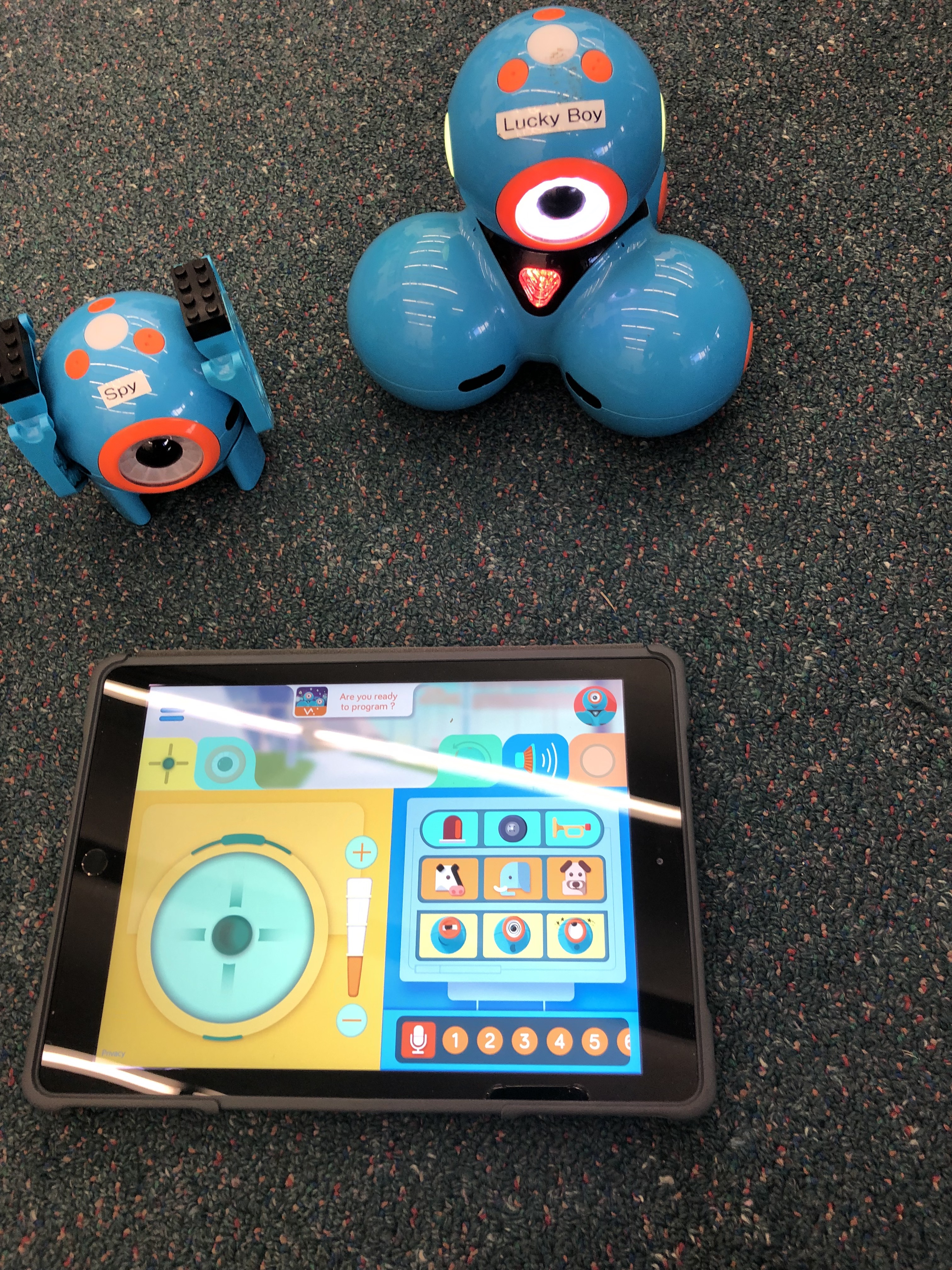
The higher ability apps allow students to use coding bubbles (as seen below) as a light introduction to coding. Each bubble corresponds with a movement, sound or light display. Students connect up these coding bubbles to create a sequence of instructions for Dash and Dot to execute.

Below is a exempla video, showing Dash executing a series of movements and sounds from the coding app instructions (see picture above).
Below is a video tutorial on the use of the Dash and Dot robots.
Below is a video created by a user of the Dash and Dot app.
Other Examples
- Cody Rocky: a robot that is similar to Dash
- Bee bot: a robot that responds to command buttons on its back
- Evo by Ozobot: a pocket sized robot that can be coded to recognise colours or patterns.
Limitations
- The equipment is expensive and therefore most likely only accessible during class time
- Due to the expensive equipment, schools are only likely to have very few available – only a few students can use it at a time
- Students may experience cognitive overload due to having to learn two things at once (how to code and the content being taught)
- Students may play with the technology but neglect the work
References
Kivinen, O., & Ristelä, P. (2002). Even Higher Learning Takes Place by Doing: From postmodern critique to pragmatic action. Studies In Higher Education, 27(4), 419-430.
Klopfer, E. (2008). Augmented learning: Research and design of mobile educational games. Cambridge, MA: MIT Press.
Klopfer, E., & Squire, K. (2008). Environmental detectives: the development of an augmented reality platform for environmental simulations. Educational Technology Research and Development, 56(2), 203–228.
images

 Sara's Blog